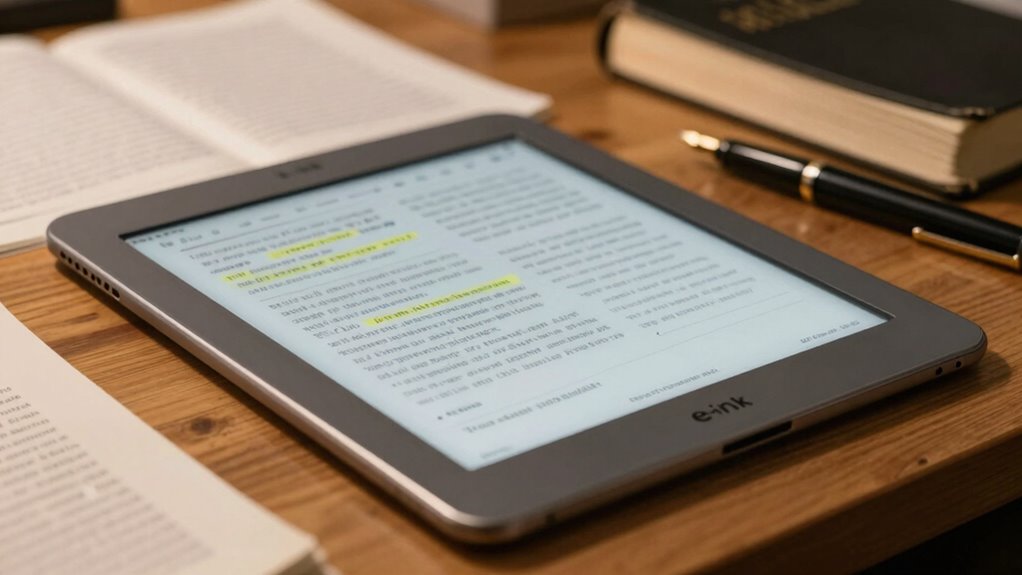

For most people taking handwritten sermon notes, I would start with the reMarkable Paper Pure: its 10.3-inch monochrome format keeps writing central without the added complexity of color. The Kindle Scribe is a straightforward alternative for readers who want a familiar Kindle alongside note-taking, while the BOOX Note Air5 C suits people who need color and broader app flexibility. The main tradeoff is between a calm, paper-like writing setup and the extra versatility that can bring more menus, distractions, or compromises in screen clarity. Screen size, Bible and document workflows, portability, and bundled accessories matter more than a long feature list. Read on for how all 10 options compare and which one fits your note-taking habits.

Turn your quiet moments into listening time
- Thousands of audiobooks, podcasts and originals
- Listen on your phone, tablet or Echo — also offline
- Cancel anytime
Key Takeaways
- A 10.3-inch screen is the practical center of this lineup: it gives sermon notes room to breathe, while the BOOX Go 7 and BOOX Go 7 B/W favor portability over page space.
- Monochrome models make the clearest case for focused handwriting: the reMarkable Paper Pure and Kindle Scribe avoid color-screen tradeoffs when highlighting and diagrams are not priorities.
- Color is most useful when it has a job: the BOOX Note Air5 C and Note Air6 C suit readers who mark up color-coded study material, but color is not automatically better for ordinary notes.
- Several reMarkable listings represent different bundles, not a wholly different note-taking approach: compare the Paper Pro configurations by screen and folio package rather than treating every bundle as a separate class of device.
- Small-screen BOOX models serve a different purpose from full-page notebooks: the Go 7 options are easier to carry, but the 10.3-inch models are better suited to writing extended notes during a service.
| reMarkable Paper Pro Digital Notebook with Marker Plus |  | Best Overall for Color-Coded Sermon Notes | Display: 11.8-inch Canvas Color e-ink | Generation: 1st Generation | Model: RM81C-1000NW | VIEW ON AMAZON | See Our Full Breakdown |
| BOOX Go Color 7 Gen II E Ink Tablet, 7-Inch, Black |  | Best Compact Option for Sermon Readers | Display: 7-inch Kaleido 3 color E Ink | Resolution: 1680 × 1264; 300 ppi black and white, 150 ppi color | Operating system: Android 13 | VIEW ON AMAZON | See Our Full Breakdown |
| reMarkable Paper Pure 10.3-Inch E-Ink Tablet with Marker Plus and Desert Pink Sleeve Folio |  | Best for Focused, Black-and-White Note Taking | Display: 10.3-inch black-and-white E-Ink | Digital ink response: 21 ms | Operating system: reMarkable OS | VIEW ON AMAZON | See Our Full Breakdown |
| reMarkable Paper Pure 10.3-Inch E-Ink Tablet with Marker Plus and Ocean Blue Sleeve Folio |  | Best Minimalist Bundle for Document-Based Notes | Display: 10.3-inch black-and-white E-Ink | Digital ink response: 21 ms | Operating system: reMarkable OS | VIEW ON AMAZON | See Our Full Breakdown |
| reMarkable Paper Pro Color E-Ink Tablet Bundle with Marker Plus and Black Leather Book Folio |  | Best Premium Folio Bundle | Display: 11.8-inch Canvas Color e-ink | Generation: 1st Generation | Model: RM83C-1005NW | VIEW ON AMAZON | See Our Full Breakdown |
| BOOX Tablet 10.3″ Note Air6 C 6GB 64GB E Ink Tablet Color ePaper Digital Notebook |  | Best for Color-Coded Sermon Notes | Display: 10.3-inch Kaleido 3 color E Ink | Resolution: 2480 × 1860 at 300 ppi monochrome; 1240 × 930 at 150 ppi color | Memory: 6 GB RAM; 64 GB storage | VIEW ON AMAZON | See Our Full Breakdown |
| reMarkable Paper Pro with Marker Plus and Basalt Book Folio |  | Best Premium Writing Bundle | Display: 11.8-inch Canvas Color E Ink | Reading light: Adjustable | Included accessories: Marker Plus, six spare tips, Book Folio, and USB-C cable | VIEW ON AMAZON | See Our Full Breakdown |
| Amazon Kindle Scribe 32GB with Premium Pen – Tungsten |  | Best for Kindle-Based Sermon Reading | Display: 10.2-inch front-lit Paperwhite, 300 ppi | Storage: 32 GB | Included pen: Premium Pen with five replacement tips | VIEW ON AMAZON | See Our Full Breakdown |
| BOOX Note Air5 C 10.3-Inch Color E Ink Tablet, 6GB RAM, 64GB Storage |  | Best for App-Based Study Workflows | Display: 10.3-inch Kaleido 3 color E Ink | Resolution: 2480 × 1860 at 300 ppi monochrome; 1240 × 930 at 150 ppi color | Stylus sensitivity: 4096 pressure levels | VIEW ON AMAZON | See Our Full Breakdown |
| BOOX Tablet Go 7 B/W E Ink Tablet 4G 64G Digital Notebook Support Active Stylus InkSense (Black) |  | Best Compact Sermon Reader | Display: 7-inch monochrome E Ink | Resolution: 1680 × 1264 at 300 ppi | Memory: 4 GB RAM; 64 GB storage | VIEW ON AMAZON | See Our Full Breakdown |
| e ink tablet for sermon note | Display | Connectivity | Operating system |
|---|---|---|---|
| reMarkable Paper Pro Digital N | 11.8-inch Canvas Color e-ink | Wi-Fi, Bluetooth, USB Type-C | — |
| BOOX Go Color 7 Gen II E Ink T | 7-inch Kaleido 3 color E Ink | — | Android 13 |
| reMarkable Paper Pure 10.3-Inc | 10.3-inch black-and-white E-Ink | Wi-Fi | reMarkable OS |
| reMarkable Paper Pure 10.3-Inc | 10.3-inch black-and-white E-Ink | Wi-Fi | reMarkable OS |
| reMarkable Paper Pro Color E-I | 11.8-inch Canvas Color e-ink | Wi-Fi, USB-C | — |
| BOOX Tablet 10.3" Note Air6 C | 10.3-inch Kaleido 3 color E Ink | Wi-Fi and Bluetooth 6.0 | Android 16 |
| reMarkable Paper Pro with Mark | 11.8-inch Canvas Color E Ink | USB-C and Wi-Fi 802.11a/b | — |
| Amazon Kindle Scribe 32GB with | 10.2-inch front-lit Paperwhite, 300 ppi | Wi-Fi 5 and Bluetooth 5.2 | — |
| BOOX Note Air5 C 10.3-Inch Col | 10.3-inch Kaleido 3 color E Ink | Wi-Fi and Bluetooth 5.1 | Android 15 |
| BOOX Tablet Go 7 B/W E Ink Tab | 7-inch monochrome E Ink | Wi-Fi and Bluetooth 5.1 | Android 13 |
More Details on Our Top Picks
reMarkable Paper Pro Digital Notebook with Marker Plus
I’d rank the reMarkable Paper Pro first for sermon notes when a large writing area and color coding matter more than app flexibility. Its 11.8-inch color e-ink display gives headings, scripture references, and annotations room to stay legible together, while the adjustable reading light helps when taking notes in a dim sanctuary. The included Marker Plus with built-in eraser is ready for handwriting without an extra stylus purchase. Compared with the smaller BOOX Go Color 7 Gen II, this is much better suited to writing full-page notes than carrying a compact reader. The tradeoff is a larger device, and color e-ink is not as vivid as a conventional screen. Some cloud features also require a separate Connect subscription.
Pros:- 11.8-inch color display provides space for handwritten notes and document markup.
- Adjustable reading light and low-glare screen suit varied indoor lighting.
- Marker Plus includes a built-in eraser and six spare tips.
- Handwriting conversion and document organization support sharing and later reference.
Cons:- Larger than compact options such as the BOOX Go Color 7 Gen II.
- Additional features such as unlimited cloud storage require a Connect subscription.
- The stated battery life assumes one hour of regular use per day.
Best for: People who write full-page sermon outlines, mark up scripture PDFs, and use color to separate themes or references.
Not ideal for: Readers who want a pocketable device, broad Android app support, or cloud features without a separate subscription.
- Display:11.8-inch Canvas Color e-ink
- Generation:1st Generation
- Model:RM81C-1000NW
- Included stylus:Marker Plus with built-in eraser
- Included tips:6 spare Marker tips
- Connectivity:Wi-Fi, Bluetooth, USB Type-C
- Battery life:Up to 15 days based on one hour of regular use per day
- Charging:0% to 90% in less than 45 minutes
Our verdict“Choose this for roomy, color-coded sermon notes and PDF annotation; pick the BOOX Go Color 7 Gen II if portability and Android apps matter more.”
BOOX Go Color 7 Gen II E Ink Tablet, 7-Inch, Black
The BOOX Go Color 7 Gen II is the compact pick for someone who mainly reads sermon materials and wants to jot brief reminders rather than build full-page notes. At about 195 g, with page-turn buttons and adjustable warm and cool lighting, it is easier to carry and handle than the 10.3-inch reMarkable Paper Pure. Android 13 and third-party app support also give it more flexibility for reading services and document workflows. That flexibility comes with a clear limitation: the 7-inch screen leaves little room for extended handwriting or side-by-side notes. Its InkSense stylus is sold separately, and EMR pens are unsupported, so writing requires a compatible additional purchase. Color detail is also lower-resolution than black-and-white text.
Pros:- Approximate 195 g weight and 7-inch format are easy to carry.
- Android 13 supports third-party reading and productivity apps.
- Page-turn buttons and adjustable warm and cool lighting suit reading.
- MicroSD slot supplements the built-in 64 GB storage.
Cons:- InkSense active stylus is sold separately, and EMR styluses are unsupported.
- The small screen is cramped for full sermon outlines or substantial handwriting.
- Color resolution is 150 ppi, below the 300 ppi black-and-white resolution.
Best for: Churchgoers who carry reading materials between services and want a lightweight tablet for reading, page turns, and occasional short annotations.
Not ideal for: People who take extensive handwritten sermon notes or want a stylus included and ready to use.
- Display:7-inch Kaleido 3 color E Ink
- Resolution:1680 × 1264; 300 ppi black and white, 150 ppi color
- Operating system:Android 13
- Processor and memory:Octa-core processor, 4 GB RAM
- Storage:64 GB
- Stylus support:InkSense active stylus supported; not included; EMR styluses unsupported
- Lighting:Adjustable warm and cool front lighting
- Weight:Approximately 195 g (6.9 oz)
Our verdict“Choose it for portable sermon reading and app flexibility, not as your main device for long handwritten notes.”
reMarkable Paper Pure 10.3-Inch E-Ink Tablet with Marker Plus and Desert Pink Sleeve Folio
For a reader who wants a straightforward digital notebook rather than a color document workspace, the reMarkable Paper Pure makes a strong sermon-notes case. Its 10.3-inch black-and-white display gives handwriting and scripture text a clear, focused canvas, while the 21 ms digital ink response is suited to keeping pace with live note taking. Tags, folders, templates, and handwriting-to-text conversion help turn weekly notes into a reference collection. Compared with the color reMarkable Paper Pro, this model gives up color markup and the larger display, but keeps the writing experience centered on notes and documents. The included Marker Plus and Desert Pink Sleeve Folio make it a ready-to-carry set. Skip it if color-coded highlighting or broad Android app access is central to your workflow.
Pros:- 10.3-inch high-contrast black-and-white screen suits handwriting and reading.
- 21 ms digital ink response supports responsive note taking.
- Templates, tags, folders, and handwriting conversion help organize sermons.
- Marker Plus and Sleeve Folio are included.
Cons:- Black-and-white display cannot distinguish notes with color.
- Smaller screen than the 11.8-inch reMarkable Paper Pro.
- Some additional features, including unlimited cloud storage, require a Connect subscription.
Best for: Sermon note takers who prefer a distraction-light black-and-white notebook with handwriting conversion and organized folders.
Not ideal for: People who rely on color-coded scripture markup, want a larger page, or need Android third-party apps.
- Display:10.3-inch black-and-white E-Ink
- Digital ink response:21 ms
- Operating system:reMarkable OS
- Connectivity:Wi-Fi
- Weight:360 g
- Included accessories:Marker Plus and Desert Pink Sleeve Folio
- Model:RM95A
- Warranty:1-year limited warranty
Our verdict“Choose this bundle for organized, distraction-light sermon notes in black and white, but choose the Paper Pro if color markup is part of your method.”
reMarkable Paper Pure 10.3-Inch E-Ink Tablet with Marker Plus and Ocean Blue Sleeve Folio
This Ocean Blue version of the reMarkable Paper Pure suits sermon note takers who want their writing device and protective folio together, with a particular strength in organizing notes alongside documents. Its 10.3-inch monochrome display and 21 ms ink response support handwriting and PDF annotation without the extra visual emphasis of a color screen. Wi-Fi and reMarkable apps allow notes and documents to be shared, with listed services including Google Drive, Dropbox, and Microsoft Word. Compared with the Desert Pink Paper Pure bundle, the core tablet and writing features are the same; the meaningful distinction is the included Ocean Blue Sleeve Folio. Against the color Paper Pro, it is more focused but less flexible for highlighting by color. It remains a black-and-white device, and some cloud functions require Connect.
Pros:- 10.3-inch paper-like monochrome screen supports handwriting and document annotation.
- 21 ms digital ink response supports quick note taking.
- Handwriting conversion and tags and folders aid retrieval of sermon notes.
- Marker Plus and Ocean Blue Sleeve Folio are included.
Cons:- Black-and-white screen does not support color-coded markup.
- Core tablet capabilities match the Desert Pink Paper Pure bundle, so the colorway is the main listed distinction.
- Unlimited cloud storage and some additional features require a Connect subscription.
Best for: People who annotate sermon PDFs and want a monochrome note system with Wi-Fi sharing and an included Ocean Blue folio.
Not ideal for: Buyers who need color-coded notes, a larger display, or extensive third-party app choice.
- Display:10.3-inch black-and-white E-Ink
- Digital ink response:21 ms
- Operating system:reMarkable OS
- Connectivity:Wi-Fi
- Weight:360 g
- Dimensions:8.98 × 7.37 inches
- Included accessories:Marker Plus and Ocean Blue Sleeve Folio
- Warranty:1-year limited warranty
Our verdict“Pick this bundle if you want the Paper Pure workflow with an Ocean Blue folio; choose the Paper Pro for color and a larger writing surface.”
reMarkable Paper Pro Color E-Ink Tablet Bundle with Marker Plus and Black Leather Book Folio
I’d choose this reMarkable Paper Pro bundle for a sermon-note setup that needs color, a large canvas, and a folio included from the start. The 11.8-inch color e-ink display can keep handwritten outlines, scripture references, and document annotations on one screen, while the adjustable reading light helps in different indoor lighting. Marker Plus, six spare tips, and the black leather Book Folio make this a more complete carry bundle than the standard Paper Pro listing, which includes a USB-C cable but no folio in its supplied details. The writing and screen proposition is otherwise close to that model, so the bundle’s main distinction is its folio. It is larger than the 10.3-inch Paper Pure, and its color screen and stylus are tied to a focused reMarkable workflow rather than broad Android app use.
Pros:- 11.8-inch color display provides space for notes, reading, and document markup.
- Marker Plus includes a built-in eraser, with six spare tips in the bundle.
- Adjustable reading light and low-glare screen support varied lighting.
- Black leather Book Folio is included.
Cons:- Larger than the 10.3-inch Paper Pure and less suited to compact carrying.
- Its core tablet features closely match the standard Paper Pro; the folio is the main listed bundle distinction.
- Marker is designed to work exclusively with the tablet’s display.
Best for: Sermon note takers who want a large color writing surface and an included book-style leather folio for carrying the tablet.
Not ideal for: People seeking a compact device, broad Android app support, or a black-and-white screen-first writing setup.
- Display:11.8-inch Canvas Color e-ink
- Generation:1st Generation
- Model:RM83C-1005NW
- Included stylus:Marker Plus with built-in eraser
- Included tips:6 spare Marker tips
- Included folio:Black leather Book Folio
- Connectivity:Wi-Fi, USB-C
- Battery life:Up to two weeks
Our verdict“Choose this bundle if you want the Paper Pro’s color note-taking setup with a leather folio included; choose the standard Paper Pro if the folio is unnecessary.”
BOOX Tablet 10.3″ Note Air6 C 6GB 64GB E Ink Tablet Color ePaper Digital Notebook
Color-coded organization is the Note Air6 C’s clearest advantage for sermon notes: its Kaleido 3 screen can show highlighted passages, diagrams, and annotations in color while keeping black-and-white text at 300 ppi. Compared with the monochrome Amazon Kindle Scribe, it gives you more visual ways to separate scripture references, themes, and follow-up points. Android 16 and third-party app support also make it more adaptable if your sermon workflow spans different reading and note-taking tools.
The tradeoff is that color renders at 150 ppi, so colored text and details look less sharp than monochrome content. At about 440 g, it is also a larger device to carry than the compact BOOX Go 7. I’d choose this model for color-led study and broad format support, not for the simplest possible notebook experience.
Pros:- Color display helps distinguish scripture references, themes, and annotations at a glance.
- 300 ppi black-and-white resolution keeps ordinary text crisp.
- Android 16 and third-party app support allow a flexible sermon workflow.
- Warm and cool front lighting supports reading in different room conditions.
Cons:- Color resolution is 150 ppi, lower than the monochrome resolution.
- At approximately 440 g, it is less portable than the BOOX Go 7.
- E Ink refresh is slower than conventional tablet screens.
Best for: Preachers and students who mark up sermons with color, consult varied document formats, and want Android app flexibility.
Not ideal for: Readers who mainly write monochrome notes, want the sharpest possible colored text, or prefer a small tablet for carrying to services.
- Display:10.3-inch Kaleido 3 color E Ink
- Resolution:2480 × 1860 at 300 ppi monochrome; 1240 × 930 at 150 ppi color
- Memory:6 GB RAM; 64 GB storage
- Operating system:Android 16
- Lighting:Front light with warm and cool color temperature
- Connectivity:Wi-Fi and Bluetooth 6.0
- Expansion and ports:USB-C with OTG support; microSD card slot
- Weight and dimensions:Approximately 440 g; 225 × 192 × 5.8 mm
Our verdict“Choose the Note Air6 C if color-coded sermon study and Android flexibility matter more to you than compact size or high-resolution color.”
reMarkable Paper Pro with Marker Plus and Basalt Book Folio
The Paper Pro bundle pairs an 11.8-inch color E Ink screen with the Marker Plus, spare tips, and a Book Folio, making it a strong fit for people who want a ready-to-carry setup for sermon preparation. Its large writing area gives lengthy outlines and document annotations room to breathe; compared with the Kindle Scribe, the larger display is the more comfortable choice for spreading out notes. The adjustable reading light and low-glare screen also suit reading and writing across changing indoor lighting.
This is a more focused writing device than the Android-based BOOX Note Air5 C: that BOOX model supports third-party apps and more formats, while the reMarkable emphasizes its own note-taking workflow. Connected features such as expanded cloud storage may require a separate subscription. Its up-to-15-day battery claim is based on one hour of use daily, so heavier note-taking can shorten that interval.
Pros:- Large 11.8-inch color display gives outlines and annotated documents more working space.
- Marker Plus includes a built-in eraser and spare tips.
- Book Folio is included to protect the tablet and hold the marker.
- Adjustable reading light supports reading in varied indoor lighting.
Cons:- Some connected features, including expanded cloud storage, require a separate subscription.
- The stated battery life assumes only one hour of regular use per day.
- Less app-flexible than the Android-based BOOX Note Air5 C.
Best for: Sermon writers who want a large color writing surface, an included folio, and a bundled stylus with a built-in eraser.
Not ideal for: Buyers who rely on installing third-party apps, want the broadest possible file flexibility, or prefer not to depend on optional connected services.
- Display:11.8-inch Canvas Color E Ink
- Reading light:Adjustable
- Included accessories:Marker Plus, six spare tips, Book Folio, and USB-C cable
- Connectivity:USB-C and Wi-Fi 802.11a/b
- Battery life:Up to 15 days at one hour of regular use per day
- Charging:0 to 90% in less than 45 minutes
- Warranty:1-year limited
Our verdict“Pick the Paper Pro bundle if you want a roomy, writing-centered sermon notebook with its marker and folio included.”
Amazon Kindle Scribe 32GB with Premium Pen – Tungsten
If your sermon preparation already centers on reading, the Kindle Scribe brings an e-reader and handwriting device together on a 10.2-inch, 300 ppi Paperwhite display. Its included Premium Pen needs no charging, and the listed AI tools can convert handwriting to text and summarize notes—useful when you want to revisit a sermon outline later. Compared with the color BOOX Note Air6 C, the Scribe keeps the experience focused on crisp monochrome reading rather than color-coded study or broad Android app use.
That focus is also its limitation: it is a better match for readers who work within Kindle’s document and reading environment than for people who want a general-purpose E Ink tablet. The supplied details list Wi-Fi but no cellular connection, and its battery estimates vary by task: up to 12 weeks for reading or three weeks for writing. I’d favor it for a reading-first routine, not a flexible app-heavy workflow.
Pros:- 300 ppi Paperwhite display provides sharp monochrome text for reading.
- Premium Pen is included and does not need charging.
- Handwriting conversion and note summarization can help organize written material.
- Listed battery life reaches up to 12 weeks for reading or three weeks for writing.
Cons:- Monochrome display cannot show color-coded highlights.
- Wi-Fi is the listed wireless connection; no cellular option is specified.
- Less suited to app flexibility than the BOOX Note Air5 C.
Best for: Kindle readers who want to annotate sermon documents, write notes with an included pen, and keep a long-lasting monochrome e-reader.
Not ideal for: Preachers who need color-coded notes, Android third-party apps, or a broad tablet-style workflow.
- Display:10.2-inch front-lit Paperwhite, 300 ppi
- Storage:32 GB
- Included pen:Premium Pen with five replacement tips
- Connectivity:Wi-Fi 5 and Bluetooth 5.2
- Battery life:Up to 12 weeks reading or three weeks writing
- Dimensions and weight:7.7 × 9.0 × 0.22 inches; 15.3 oz device only
- Supported formats:AZW3, AZW, TXT, PDF, MOBI, PRC, DOCX, DOC, HTML, EPUB, RTF, JPEG, GIF, PNG, BMP, Audible AAX
- Warranty:1-year limited
Our verdict“Choose the Kindle Scribe if you read sermon material on Kindle and want straightforward handwritten annotation on a sharp monochrome screen.”
BOOX Note Air5 C 10.3-Inch Color E Ink Tablet, 6GB RAM, 64GB Storage
The BOOX Note Air5 C makes sense for sermon preparation that involves more than handwriting: Android 15 and third-party app support let you build a workflow around compatible reading, reference, and note apps. Its 10.3-inch pressure-sensitive display, adjustable warm and cool lighting, and broad document support make it more adaptable than the Kindle Scribe, which is more reading-centered. With 4096 pressure levels, the stylus display also suits varied writing and drawing marks.
Its color screen is useful for separating topics and references, but colored content is 150 ppi rather than 300 ppi, so color details look less defined than black-and-white text. The BOOX Note Air6 C offers similar screen dimensions and core color resolution, but lists Android 16 and Bluetooth 6.0; this Note Air5 C runs Android 15 and Bluetooth 5.1. I’d choose it for a flexible app-based study setup, not for the simplest or most paper-like experience.
Pros:- Android 15 supports third-party apps for adaptable study and note workflows.
- 4096 pressure levels support varied stylus marks.
- Warm and cool front lighting can be adjusted for different reading conditions.
- MicroSD expansion and broad document support suit varied study materials.
Cons:- Color resolution is 150 ppi, below its 300 ppi monochrome resolution.
- E Ink refresh is slower than LCD or OLED screens.
- The writing feel differs from real paper.
Best for: Sermon preparers who want Android apps, stylus pressure sensitivity, and a single device for varied document types and color annotations.
Not ideal for: Buyers who want a simple dedicated notebook, sharp color text, or a screen that responds as quickly as a conventional tablet.
- Display:10.3-inch Kaleido 3 color E Ink
- Resolution:2480 × 1860 at 300 ppi monochrome; 1240 × 930 at 150 ppi color
- Stylus sensitivity:4096 pressure levels
- Memory:6 GB RAM; 64 GB storage
- Operating system:Android 15
- Connectivity:Wi-Fi and Bluetooth 5.1
- Ports and expansion:USB-C with OTG support; microSD card slot
- Weight and dimensions:Approximately 430 g; 225 × 192 × 5.8 mm
Our verdict“Choose the Note Air5 C if app flexibility and color-coded study matter more than fast screen response or high-resolution color.”
BOOX Tablet Go 7 B/W E Ink Tablet 4G 64G Digital Notebook Support Active Stylus InkSense (Black)
At about 195 g, the BOOX Go 7 is the most portable option in this group for carrying sermon readings and short notes between home, church, and study sessions. Its seven-inch monochrome screen offers 300 ppi text, page-turn buttons, warm and cool front lighting, and Android 13 with third-party app support. Compared with the 10.3-inch BOOX Note Air5 C, it takes up less room and weighs far less, though its smaller screen gives long outlines and full-page documents less breathing space.
There is an important writing limitation: the box does not include a stylus, and the device supports only the optional InkSense active stylus—not EMR pens or other styluses. That makes it less ready for handwritten sermon notes than the included-pen Kindle Scribe. I’d treat it primarily as a compact reading and reference device, with handwriting as an added purchase and setup step.
Pros:- Approximately 195 g makes it substantially easier to carry than the 10.3-inch BOOX models.
- 300 ppi monochrome display keeps reading text crisp.
- Page-turn buttons and auto-rotation support book-style reading.
- Android 13, microSD expansion, and broad document support add flexibility.
Cons:- Stylus is not included and only the InkSense active stylus is supported.
- Seven-inch display gives long notes and full-page documents limited room.
- E Ink refresh can make scrolling and navigation slower than on a conventional tablet.
Best for: Churchgoers and preachers who prioritize a lightweight device for reading sermon material and taking occasional notes with the compatible optional stylus.
Not ideal for: Buyers who want a large page for sermon outlines, an included stylus, or compatibility with EMR and other pen types.
- Display:7-inch monochrome E Ink
- Resolution:1680 × 1264 at 300 ppi
- Memory:4 GB RAM; 64 GB storage
- Operating system:Android 13
- Stylus compatibility:Optional InkSense active stylus only; stylus not included; no EMR support
- Connectivity:Wi-Fi and Bluetooth 5.1
- Battery and lighting:2300 mAh battery; warm and cool front light
- Weight and dimensions:Approximately 195 g; 156 × 137 × 6.4 mm
Our verdict“Pick the BOOX Go 7 if portability and sermon reading come first, and you are willing to buy its compatible InkSense stylus separately for handwriting.”

How We Picked
I ranked these tablets for the specific rhythm of sermon note-taking: reading or listening while capturing handwritten thoughts, organizing notes afterward, and carrying the device to church. My main criteria were writing area, the usefulness of the screen for sustained handwriting, reading and document flexibility, portability, and how much the device asks a buyer to manage before a service. I also considered whether a bundle adds a folio or pen that changes the out-of-box setup, while avoiding treating bundle color as a major performance difference.
The reMarkable Paper Pure leads as the most focused fit for handwritten notes, while the Kindle Scribe earns a strong place for readers who want an uncomplicated reading-and-writing combination. The larger BOOX color tablets rank higher for people who need flexible documents and color annotation, but their broader capabilities are not an automatic advantage for a distraction-light workflow. Compact BOOX devices appear lower because portability comes at the cost of writing room. The Paper Pro bundles remain useful premium alternatives, with their ranking reflecting screen and bundle distinctions rather than a claim that a folio color changes the core experience.
| e ink tablet for sermon note | Operating system |
|---|---|
| reMarkable Paper Pro Digital N | — |
| BOOX Go Color 7 Gen II E Ink T | Android 13 |
| reMarkable Paper Pure 10.3-Inc | reMarkable OS |
| reMarkable Paper Pure 10.3-Inc | reMarkable OS |
| reMarkable Paper Pro Color E-I | — |
| BOOX Tablet 10.3" Note Air6 C | Android 16 |
| reMarkable Paper Pro with Mark | — |
| Amazon Kindle Scribe 32GB with | — |
| BOOX Note Air5 C 10.3-Inch Col | Android 15 |
| BOOX Tablet Go 7 B/W E Ink Tab | Android 13 |
Factors to Consider When Choosing E Ink Tablet For Sermon Notes
Choosing an E Ink tablet for sermon notes is less about chasing the longest feature list and more about matching the device to what happens before, during, and after a service. I would make the decision around the size of your notes, the materials you read, and how much setup or file handling you are willing to accept.
Choose a Writing Area That Matches Your Notes
A full-page layout helps if you write long passages, draw arrows between ideas, or leave space for application notes. A compact screen can work well for short phrases and key references, but it may make continuous handwriting feel cramped. Buyers often focus on whether a tablet fits in a bag and overlook whether it gives enough room for the way they actually write. Think about your typical page: brief sermon outline, detailed study notes, or a mix of handwriting and printed material. If you regularly review notes later, a larger page can also make scanning and annotating easier. If you mostly capture a handful of prompts, carrying a smaller device may be the better compromise.
Decide Whether Color Solves a Real Problem
Color can help distinguish scripture references, themes, speaker notes, and personal reflections at a glance. It is more valuable when your church materials or study documents already use color than when your notes are mostly plain handwriting. Color E Ink screens can look less crisp or less bright than monochrome screens, so buyers should not assume that color is a free upgrade. A common mistake is paying for color features that rarely enter the note-taking routine. Ask whether colored highlighting changes how you review or organize notes, rather than whether it sounds useful in theory. If the answer is no, a monochrome device may keep the page simpler.
Map Your Bible and Document Workflow Before Buying
Some buyers primarily write on blank pages; others want to read PDFs, annotate study guides, or keep reference documents beside their notes. Those needs can change which software environment feels convenient, especially if you already rely on particular file formats or reading apps. Check how you will get documents onto the tablet, export notes, and find them again on another device. A capable tablet can still create friction if moving a sermon outline to your computer takes extra steps. Consider whether you need broad app access or would rather have a more contained notebook experience. The right choice depends on your existing habits, not just the device’s advertised flexibility.
Treat Distraction Control as a Workflow Choice
A focused notebook can help keep attention on the service, while an app-friendly tablet can make reading and reference material more flexible. Neither approach is automatically better: the deciding factor is whether extra options help you follow the sermon or pull you away from it. List the tasks you want to do during a service and separate them from tasks you can handle afterward. Buyers who mainly need handwriting may benefit from a simpler interface; people who consult multiple documents may welcome more flexibility. Also think about how you organize notes after church, since a device that supports your review routine can be more useful than one with features you never open. Pick for the whole note-taking cycle, not just the moment of writing.
Compare the Complete Carry Setup, Not Just the Tablet
A pen, folio, and charging routine all affect whether a tablet is ready to use when you arrive. Bundle listings can differ in folio style or color while sharing a similar underlying device, so compare what is included instead of assuming every bundle changes performance. A folio may protect the screen in a crowded bag, but it can add bulk that matters if you carry a Bible and other materials. Check pen compatibility and whether the included writing tool suits your intended use before relying on a bundle label. Also account for how you will charge and store the device between services. A well-matched carry setup can prevent a capable tablet from becoming an inconvenient one.
Pay More Only for Capabilities You Will Use
Premium features make sense when they improve a repeated part of your routine, such as annotating color documents or keeping several reading materials available. They matter less if your main task is writing a page of notes and reviewing it later. A frequent buying mistake is treating the most capable model as the best choice for every user. Compare the benefit of a larger screen, color, or broader software access against the added complexity and portability cost. If you are new to digital handwriting, a straightforward device may be easier to adopt than a feature-rich one. Spend extra for a specific need you can name, not for the possibility that you might use a feature someday.
Frequently Asked Questions
Is a 7-inch E Ink tablet large enough for taking sermon notes?
It can work if your notes are brief, your priority is carrying a small device, or you mainly use it to read rather than write full pages. For detailed handwriting, a 7-inch screen gives less room to form words and organize ideas without zooming or turning pages. That can be inconvenient when you want to capture notes quickly while following a sermon. A 10.3-inch model is a safer fit for sustained writing and document annotation. Choose the smaller format only if portability matters more to you than page space.
Should I choose a color E Ink tablet for Bible study notes?
Choose color if you regularly use color-coded study plans, charts, or annotated PDFs and expect to review those distinctions later. If your notes are mostly handwriting, headings, and scripture references, monochrome may provide a simpler reading and writing experience. Color screens also involve a different visual tradeoff from black-and-white E Ink, so compare the display in person if screen appearance matters greatly to you. The BOOX color models in this roundup make more sense for mixed reading and annotation than for color as decoration. Let your materials, not the novelty of color, guide the decision.
Can I use one of these tablets for both sermon notes and Bible reading?
Yes, but the best fit depends on how you read. The Kindle Scribe is the most natural choice here for someone who wants a Kindle-centered reading routine alongside handwritten notes. BOOX models may suit readers who want broader app and document flexibility, while reMarkable models emphasize a focused notebook workflow. Before choosing, check that the Bible edition or document format you rely on works the way you expect on that device. Also consider whether switching between reading and note-taking during a service feels simple enough for you.
Do I need a folio bundle for taking a tablet to church?
A folio is useful if the tablet will share a bag with books, keys, or other items that could mark the screen. It can also make the device easier to carry and set down, though it may add weight and bulk. If you already own a compatible case, a bundle folio may add little practical value. Compare the included accessories and compatibility rather than choosing a listing based on its color or bundle name alone. A pen that is ready to use matters more to note-taking than a folio finish.
What should I prioritize if I am moving from paper notes to an E Ink tablet?
Prioritize a comfortable writing area, a pen workflow that feels natural to you, and a simple way to find notes after the service. Decide whether you want digital organization to replace paper notebooks or simply supplement them, since that affects how much file and app flexibility you need. Start with your current habits: how much you write, whether you use templates, and how often you revisit old notes. A focused monochrome notebook is often easier to adopt than a device selected for its many optional features. If possible, try writing on a similar screen before committing, since handwriting feel is personal.
Conclusion
For most sermon note-takers, I would choose the reMarkable Paper Pure as the best overall because its full-page monochrome format puts handwriting first. The best value in practical fit is the Kindle Scribe for buyers who already want Kindle reading with note-taking in one device, while the best premium direction is a reMarkable Paper Pro configuration for those who want its larger color-screen experience and are comfortable paying for a more elaborate setup. For beginners, I would favor the Paper Pure for a straightforward notebook approach; readers who want a familiar reading-led option should look at the Kindle Scribe. For specific needs, choose the BOOX Note Air5 C or Note Air6 C for color documents and broader flexibility, or the BOOX Go 7 models when compact carrying matters more than writing space. Match the screen and workflow to your actual sermon habits, and the right shortlist becomes much easier to see.